| SAT/DL Toolbar Styles |
|
| Home | SATGUI | SATSHELL | SATFORM | SATFILTER | SATREPORT | SATMYSQL | License | Download | Examples | Contact |
| Pre-defined Toolbar Styles |
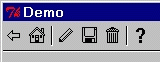
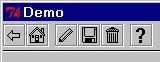
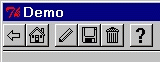
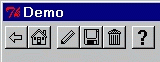
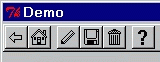
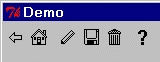
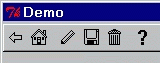
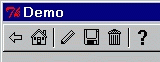
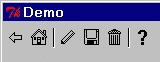
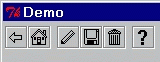
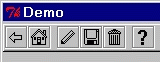
The toolbars shown on this page where created using the following SAT/DL command:
addToolbar {style back home {} pen disk trash {} query}
In this case, braces are not required around the icon names as no actions/options are being specified.
| Style | Toolbar |
| flat | |
| groove | |
| raised | |
| style1 | |
| style2 | |
| style3 | |
| style4 | |
| style5 | |
| style6 | |
| style7 | |
| style8 | |
| Using Style Definitions to Create Toolbar Styles |
Style Definitions can be used to create custom styles and/or vertically oriented toolbars.
To create a custom style: Choose the pre-defined style closest to the required style, and specify values for the options which differ from the pre-defined style to create the desired effect.
Format:
style(style,orient,size,position,button,separator,border,underline)
| Name | Options | Description | Default |
| style | flat/groove/raised/1-9 | Pre-defined style | Mandatory |
| orient | horizontal/vertical | Toolbar orientation | horizontal |
| size | fill/fit | Fill width/height of window -or- fit to size of buttons | fill |
| position | left/right/top/bottom | Position of underline | As for specified style |
| button | flat/groove/raised/ridge | Button relief style | As for specified style |
| separator | flat/groove/raised/ridge | Separator relief style | As for specified style |
| border | flat/groove/raised/ridge | Border relief style | As for specified style |
| underline | flat/groove/raised/ridge | Underline relief style | As for specified style |
Examples:
| Style Definition | Description |
| style(flat) | Same as "flat" style. |
| style(5,vertical) | "style5" with "vertical" orientation. |
| style(5,,fit) | "style5" with border which "fits" to the size of the contained buttons. |
| style(flat,,,,,,,ridge) | "flat" style toolbar with a "ridge" underline. |
NOTE: The toolbar will size automatically to fit different sized icons.