| SAT/DL Examples - setItem |
|
| Home | SATGUI | SATSHELL | SATFORM | SATFILTER | SATREPORT | SATMYSQL | License | Download | Examples | Contact |
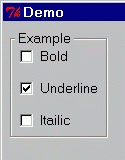
setItem {example underline}
setItem {example -underline}

Note: This would be the result if the check buttons were set as in the previous example.
setItem {example_data "Example value"}
Note: The Data item must be created before it is set.
setItem {field_1 "Example value"}

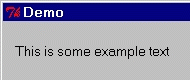
setItem {label_1 "This is some example text"}
setItem {list_1 {Fred\tMale\t20}{Mary\tFemale\t23}}
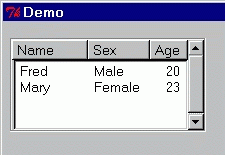
Note: \t represents a TAB character.
setItem {example Banana}

Note: The item can be set to a value which does not appear in the drop-down list.
setItem {example begining}

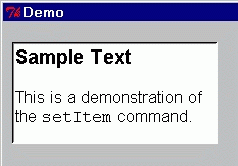
setItem {example
{<font helvetica><size 12><b>Sample Text</b><size 10>

This is a demonstration of the <font courier>setItem<font helvetica> command.}
}
setItem {example
   /File1
   /File2
   {/Dir1 folder}
   /Dir1/File_Name_Three
   /Dir1/File4
   {/Dir1/Dir2 folder text(Another_Folder)}
   {/Dir1/Dir2/File5 icon(devdiskunmount16)}
   /Dir1/Dir2/File6
   /Dir1/File7
   /File8
}
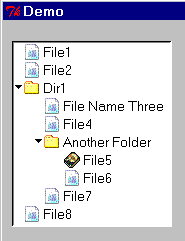
Note: This example assumes the tree item was created with the "expand" option.